Call of Duty: Black Ops 7 Beginner's Guide
A thorough beginner's guide to Call of Duty: Black Ops 7 covering modes, loadout basics, beginner strategy, and performance tuning.
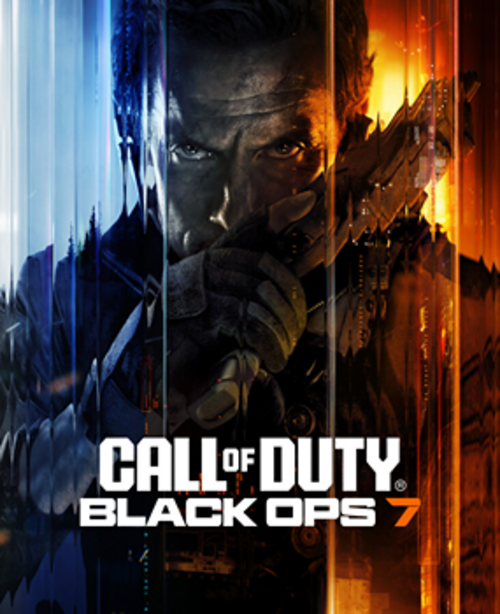
Call of Duty: Black Ops 7 is one of the best-selling games of 2026, and the franchise draws over 100 million monthly players across its titles and platforms. The series moves fast — time-to-kill is measured in fractions of a second — which makes it fun but also overwhelming for new players trying to figure out where to start.
What Makes Black Ops 7 Different
Black Ops 7 runs on a significantly updated movement system compared to earlier entries. Tactical sprint is faster and transitions to ADS (aim-down-sights) more fluidly than previous titles. Slide canceling (canceling a slide animation to regain full movement speed) is more accessible, though the timing window is tighter than in Warzone or MW2.
The map design philosophy in Black Ops 7 leans toward three-lane layouts: two outer lanes and a central lane with a high-traffic midpoint. This is intentional. Most engagements happen in the center or at the junctions between lanes. New players who don't recognize this end up getting consistently killed by players who control the three-lane chokepoints.
Specialists from earlier Black Ops titles are back but restructured as Operator abilities: limited-use equipment unique to your Operator choice rather than hero-class mechanics. Choose your Operator first for cosmetic preference, then pick your Field Upgrade (the actual gameplay ability) separately. Field Upgrades are equipment choices, not locked to Operators.
Multiplayer Game Modes to Start With
Black Ops 7 has over a dozen multiplayer modes at launch. For beginners:
Team Deathmatch (TDM): The simplest mode. 6v6, first team to 100 kills wins. No objectives to learn, no complex rules. TDM is the right starting mode because every kill matters directly and you can focus entirely on gunplay and map learning.
Domination: Three flags (A, B, C). Hold more flags than the enemy team to tick down their score. Domination teaches objective play, map rotation, and positional thinking. Once you're comfortable with TDM, Domination is the best second mode because the flag locations create consistent combat zones that make the maps more legible.
Hardpoint: A single rotating objective on the map that you must occupy to score. Forces aggressive play and punishes camping. Higher skill ceiling than TDM or Dom, but excellent for learning rotation and positioning.
Avoid at the start: Search & Destroy (one life per round, bomb plant/defuse), Ranked Play, and Gunfight (2v2 ultra-competitive). These modes are great once you understand the game, but the one-life format of S&D in particular is punishing while you're still learning map layouts and basic gunfight mechanics.
Loadout Building Basics
Black Ops 7 uses the Gunsmith system: each weapon has up to 8 attachment slots, and each attachment trades off between stats like range, mobility, ads speed, and recoil control.
Start with the default blueprints. At low levels, you don't have the attachment options to make meaningful decisions, and the default blueprints provided through the Battle Pass or campaign completion are already usable. Use them while unlocking your preferred weapon's attachments through play.
For your first custom loadout, pick one AR or SMG and stick with it. Black Ops 7's unlock system ties attachment progression to weapon level — using 8 different weapons means unlocking nothing well, while using one weapon levels it faster and gives you access to the good attachments sooner.
AR recommendation: The AEK-973 (5.56) unlocked around weapon Level 8 becomes a low-recoil AR with strong mid-range performance. The Jackal PDW is a good SMG alternative for close-range dominant maps.
Attachment priorities for beginners:
- Muzzle: Suppressor (removes minimap red dot when firing) or Recoil Compensator (reduces horizontal kick)
- Barrel: Whichever extends effective range or improves ADS speed
- Stock and grip: Recoil control or mobility, depending on your playstyle
Avoid over-optimizing attachments early. A clean gun with 4 thoughtful attachments outperforms a heavily modded gun where you don't understand the trade-offs.
Map Awareness and Spawns
Understanding spawns is one of the most impactful things a new player can learn, and it's invisible unless you look for it.
Spawn flipping: In Black Ops 7 and most CoD titles, spawns are dynamic — if the enemy team pushes far into your side of the map, the game flips your team's spawns to the opposite end. New players get caught constantly by this: you clear one side of the map, rotate toward the enemy spawn, and find enemies spawning directly behind you because the flip happened.
The practical rule: after clearing an area, check behind you before pushing forward. Flanks that worked once often get punished by a spawn flip on the next life.
The danger of camping in enemy spawns: Pushing all the way into the enemy spawn zone forces a spawn flip that puts enemies all around you. In modes like TDM, controlling mid-map is usually more sustainable than overextending into spawn traps.
Learn one map at a time. Black Ops 7 launches with 12+ multiplayer maps. Don't try to learn them all simultaneously. Pick the 2-3 maps you see most in rotation and learn their three-lane layouts, high-ground positions, and typical engagement distances (which determines which weapon class to equip).
Killstreaks and Scorestreaks
Black Ops 7 uses a hybrid system: kills and objective play both contribute to streak progress. You can choose between Killstreak (resets on death) and Scorestreak (accumulates across lives) configurations.
Beginner-recommended killstreak set:
- UAV (3 kills): Reveals enemy positions on the minimap for your entire team. Low threshold, extremely high team value. Every player on your team benefits from your UAV.
- Care Package (4 kills): Drops a random streak. Can yield high-value streaks you couldn't earn through kills alone. Occasionally a liability if the enemy intercepts it, but generally worth taking.
- Chopper Gunner (10 kills): A powerful air support streak that's satisfying and genuinely impactful without requiring extreme kill chains.
Why not start with the highest streaks? Streaks above 10 kills require sustained performance that new players rarely achieve. A single UAV per match from 3 kills is more realistically attainable and provides team value throughout the game.
Ghost perk and UAV counter: The Ghost perk makes you invisible to enemy UAVs while moving. If an enemy UAV is up and you're stationary, you appear on their map. Keep moving or earn Ghost in your perk loadout (typically Perk 2 slot) to counter enemy UAV stacks.
Zombies Mode Introduction
Zombies is Black Ops 7's cooperative mode: survive increasingly difficult waves of undead with 1-4 players. It's entirely separate from multiplayer and has its own mechanics, progression, and build systems.
Round-Based vs. Outbreak: Round-Based puts you in a contained map and you survive until you choose to extract or the team wipes. Outbreak is an open-zone mode where you complete objectives across a large map and progress through escalating difficulty zones. Beginners generally find Outbreak more forgiving because the open space gives more room to maneuver and the objective structure provides clear direction.
Core Zombies mechanics:
- Wall Buys: Weapons mounted on walls can be purchased with Essence (in-game Zombies currency). The weapon on the starting wall is always a safe early purchase to supplement your starter pistol.
- Mystery Box: A random weapon for 950 Essence. High variance. Beginners should wall buy a reliable weapon first before gambling on the Mystery Box.
- Perk Machines: Purchase permanent perks scattered around the map. Quick Revive (revives self in solo or speeds revive in co-op), Jugger-Nog (greatly increased health), Speed Cola (faster reload) are the priority purchases.
Packing early is more important than staying in low rounds. Pack-A-Punch (upgrades your weapon to much higher damage) becomes available after completing the early steps in the map. Getting your weapon Pack-A-Punched and moving to higher rounds faster generates more Essence than staying in Round 10 forever.
Settings for Better Performance
Performance settings matter significantly in a game where reaction time is measured in milliseconds:
- 120Hz mode: If your display supports 120Hz or higher, enable it in console/PC display settings and in-game. 120Hz provides meaningfully smoother animation than 60Hz and reduces input lag.
- Field of View (FOV): Set to 100-105 on PC. Wider FOV shows more of the battlefield, giving you earlier visual of enemies approaching from the sides. Console FOV typically defaults lower; increase it in settings.
- Motion Blur: Turn both World Motion Blur and Weapon Motion Blur OFF. Motion blur adds visual smearing during fast movement that obscures enemy outlines. There's no gameplay reason to leave it on.
- Film Grain: Turn OFF. Film grain adds visual noise that makes it harder to identify enemies at distance in lower-light areas of maps.
- NVIDIA Reflex / AMD Anti-Lag: Enable if available. These reduce system latency (the gap between your mouse input and what displays on screen) by 10-30ms, which is meaningful at fast-twitch speeds.
See how to increase FPS on Windows for system-level tuning steps and best router settings for gaming for reducing latency in gunfights where milliseconds determine who wins.
Common Beginner Mistakes
Running in straight lines: The most predictable movement pattern in a game where hundreds of players know every map. Strafe constantly. Peek at unexpected angles. Use slide cancel (sprint → crouch → sprint quickly) to break aim tracking during fights.
Ignoring UAV with Ghost: If the enemy has a UAV up and you don't have Ghost, you appear on their minimap. This means enemies know where you are before they see you. Either use Ghost in your perk loadout or move constantly so your icon doesn't hold still.
Not using tactical sprint: Tactical sprint is meaningfully faster than regular sprint. In Black Ops 7 it has a short charge-up but the speed advantage is worth using for room-to-room movement. Players who tap the sprint button twice to activate tactical sprint rotate between engagements faster.
Chasing kills into unfavorable situations: In TDM and Domination, chasing a low-health enemy into a room where their two teammates are waiting is how beginners go 10-20 in their first matches. Take your kill when it's easy, fall back to reset and reload when it's not.
Never using equipment: Your lethal (grenades, C4) and tactical (flash, smoke, concussion) equipment replenish between lives. Many new players save them and never throw them. Grenades before pushing a room, flashes before a tight-angle fight, and smokes to cross open ground are all free advantages you're ignoring.
Marcus Webb
Hands-on PC builder and gaming hardware writer at GameInfoZone. Focused on practical, no-hype advice for everyday gamers.
Need Help With Your Gaming Setup?
From custom builds to fixing low FPS and lag, our techs can help you get the most out of your gaming PC.
Request Gaming PC HelpGet Gaming Deals & Setup Tips
Join the GameInfoZone newsletter for gaming gear deals, PC build tips, and performance guides.
Related Articles

Valorant Beginner's Guide: Agents, Roles, and Core Strategy
A thorough beginner's guide to Valorant covering agent roles, economy basics, ability usage, and performance tuning.
Stardew Valley Beginner's Guide: Farm Layout, Early Priorities, and Time Management
A thorough beginner's guide to Stardew Valley covering farm layout choices, early-game priorities, time management, and core systems.

Rocket League Beginner's Guide: Car Control, Positioning, and Boost Management
A thorough beginner's guide to Rocket League covering car control basics, positioning, boost management, and performance tuning.